

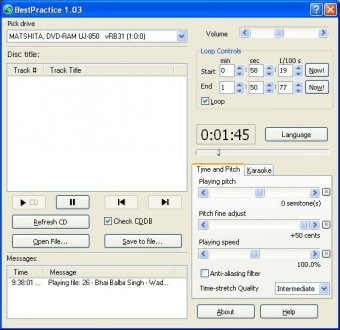
BestPractice is a handy and useful application that gives you complete control over mp3 and wav files. You can import and play any mp3 and wav file using custom playing pitch, playback speed (tempo), or even enable the karaoke mode. BestPractice enables you to import mp3 or wav files from your hard drive or directly from a CD. You can slow down or speed up music up to a desired speed simply moving a slider.
The best feature of BestPractice is its capability of maintaining the audio quality. You will get the 100% of the audio quality even when you are playing at 10% of original speed. BestPractice also enables you to play a selected part of the audio in a loop. The Loop feature can be helpful for musicians to understand music tones in detail. You can shift the pitch without affecting the length of the music. BestPractice also works as a simple mp3 to wav converter, because you can save any mp3 file as wav file using the save as option.
The newest release features improved mp3 file recognition and support for the Russian language.





Comments (2)
When I click on the icon I get a message saying,
"The application was unable to start correctly (0x c0000142). Click OK to close the application."
Please can you help me with this problem because I rely on this program a lot.
Take care and please be safe.
Regards,
Vincent